
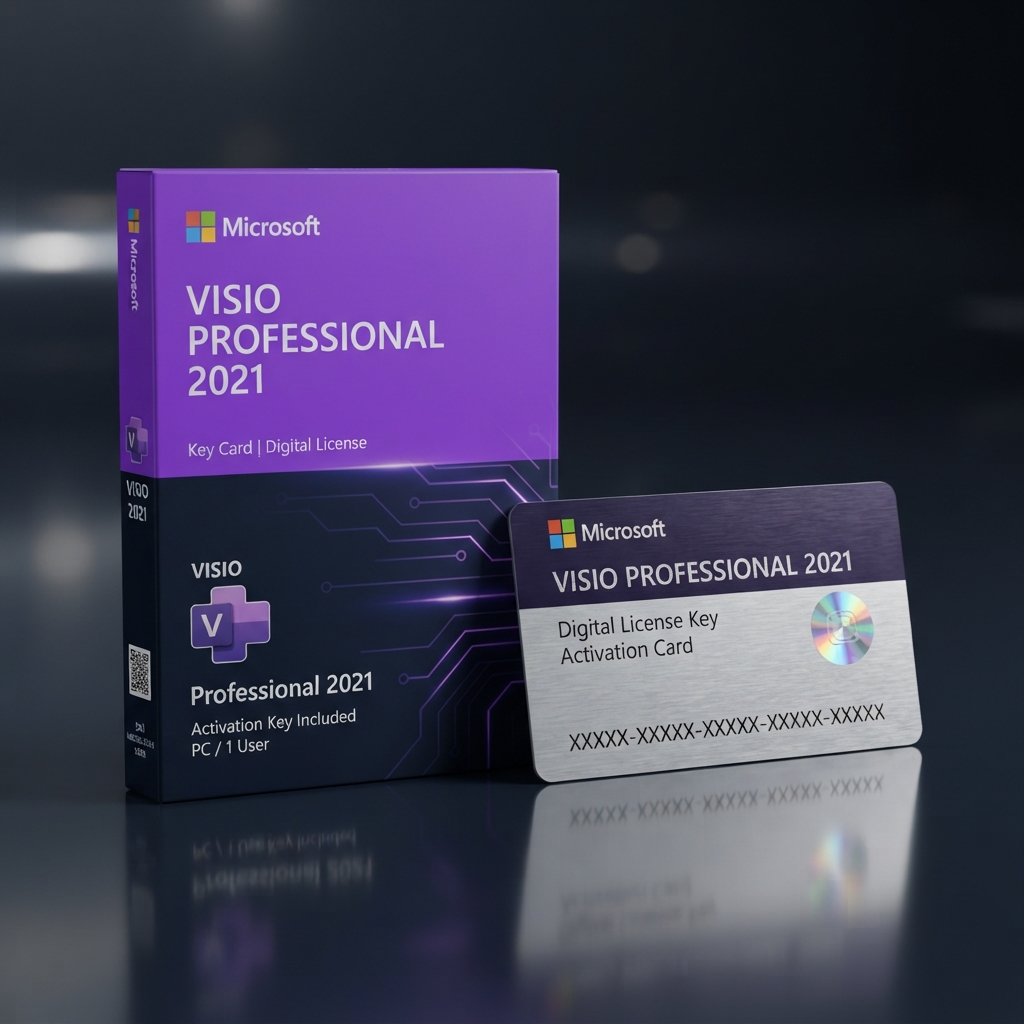
Microsoft Visio Professional 2021 Key unlocks a permanent, single-user license for the industry-standard diagramming application trusted by IT architects, network engineers, and business analysts around the world. This is a one-time purchase, not a subscription, so the license activates the full 2021 desktop build with lifetime usage rights and instant digital delivery straight to your inbox. As part of our complete Microsoft Office software catalog, this diagramming edition sits alongside Word, Excel, and specialized planning tools, giving teams a consistent, genuine software stack for daily documentation work.
Because the activation key is tied to a single Microsoft account rather than a recurring billing cycle, businesses avoid unpredictable renewal costs while still receiving official validation directly from Microsoft’s activation servers.
What Is the Microsoft Visio Professional 2021 Key and Who Needs It?
The Microsoft Visio Professional 2021 Key is built for network engineers, database administrators, and process consultants who must translate complex systems into clear, shareable diagrams. Unlike broader scheduling software such as the Microsoft Project Professional 2021 key, which manages timelines, budgets, and resource allocation across a team, Visio Professional focuses purely on visual representation: organizational charts, network topology maps, floor plans, and UML software diagrams.
Running on a modern Windows 10 or Windows 11 workstation, a properly licensed Microsoft Visio Professional 2021 Key delivers the same operational stability that enterprise IT departments expect from a locally installed, offline-capable application. There is no dependency on a cloud subscription staying active, no forced feature rollback, and no risk of losing access if an online plan lapses, making it a dependable long-term choice for regulated or air-gapped environments.
Core Features & Architecture
Every Microsoft Visio Professional 2021 Key purchase includes the complete desktop toolset engineered for enterprise-grade documentation, data-linked visuals, and cross-team collaboration inside familiar Office-style menus.
Data-Linked Diagrams
Connect shapes directly to Excel spreadsheets, SQL Server tables, or Azure data sources so that diagrams automatically refresh when underlying figures change, eliminating manual re-drawing after every audit or infrastructure update.
Advanced Shape Libraries
Access thousands of industry-specific stencils covering networking, engineering, architecture, and business process notation, including full BPMN 2.0 and UML 2.5 compliant shape sets for standardized technical communication.
Team Collaboration Tools
Co-author diagrams, embed comments, and export directly to PDF, SVG, or image formats for stakeholders who do not have Visio installed, keeping review cycles fast without licensing extra viewers.
Container and Layer Management
Organize sprawling diagrams using containers, layers, and swimlanes that keep large network maps and process flows readable even as documentation scales across departments.
Management, Compatibility & Infrastructure
Deploying the Microsoft Visio Professional 2021 Key across a managed IT environment is straightforward, since activation works through the standard Microsoft Office Activation Wizard and integrates cleanly with existing Office 365 or on-premise deployments without additional middleware.
- Compatible with Windows 10 and Windows 11, 32-bit and 64-bit builds
- Works alongside existing Microsoft 365 or perpetual Office installations
- Supports Active Directory-based device activation for business networks
- Includes lifetime security and compatibility updates from Microsoft
- No internet connection required for day-to-day diagramming once activated
Technical Specifications
| Technical Specification | Entitlement Details |
|---|---|
| License Type | Perpetual, single-device Microsoft Visio Professional 2021 Key (retail, not subscription) |
| Delivery Method | Automated digital delivery via email within minutes of checkout |
| Supported OS | Windows 10 and Windows 11 (32-bit and 64-bit) |
| Activation | Direct Microsoft account or Office Activation Wizard binding |
| Language Support | Multi-language installer with regional selection during setup |
| Update Policy | Free lifetime security patches for the 2021 build |
Step-by-Step License Redemption Guide
- Complete checkout and locate your unique alphanumeric key in the confirmation email sent automatically after payment.
- Download the official Visio Professional 2021 installer files directly from Microsoft’s servers, or use your existing Office installation if already present.
- Run the installer and follow the on-screen prompts until setup completes on your Windows 10 or Windows 11 device.
- Open Visio, enter your Microsoft Visio Professional 2021 Key when prompted, and activate through the official Microsoft account setup portal, then sign in to bind the license permanently to your account.
- Restart the application to confirm the activation banner has cleared and begin creating diagrams immediately.
Frequently Asked Questions About Microsoft Visio Professional 2021 Key
Is this a genuine, one-time purchase or a monthly subscription?
This is a genuine one-time purchase. The Microsoft Visio Professional 2021 Key activates a perpetual license, meaning you pay once and keep the software indefinitely, with no recurring subscription fees or forced renewal at any point.
Can I move the license to a new computer if my hardware fails?
Yes. Because this is a retail-style entitlement rather than a locked OEM binding, you can deactivate the installation on your old machine and reactivate the same key on a replacement device through your Microsoft account.
What is the difference between Visio Professional and the standard Office suite?
Visio is a dedicated diagramming application, not a general productivity suite. If your workflow instead requires document editing, spreadsheets, and presentation tools bundled together, our Microsoft Office 2021 Professional Plus key is the better-suited tier for everyday business documentation alongside occasional diagramming needs.


Reviews
There are no reviews yet.