
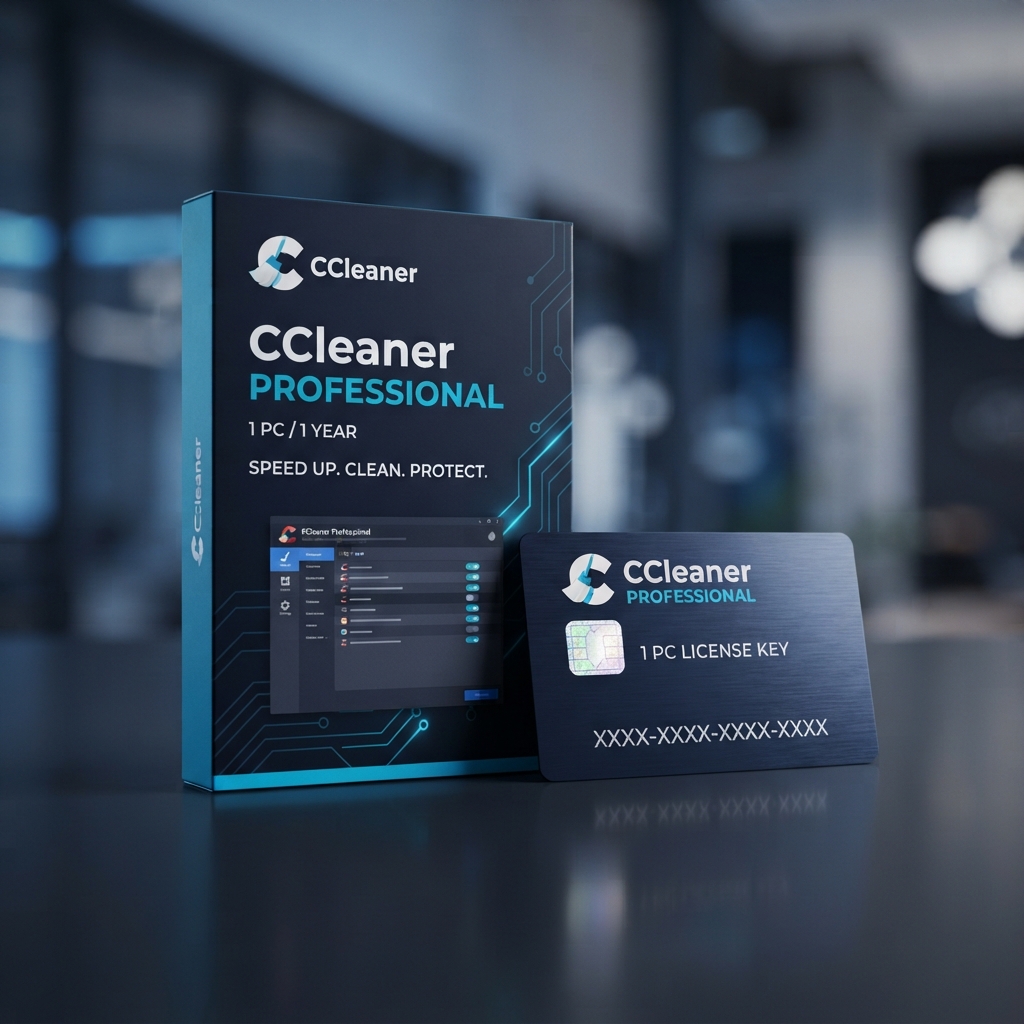
CCleaner Professional 1 PC provides comprehensive Windows system optimization, automated registry cleaning, and advanced real-time privacy tracking protection for your workstation. As an essential maintenance solution within our system utilities and optimization tools catalog, this utility resolves persistent performance bottlenecks, purges accumulated application caches, and recovers valuable gigabytes of unallocated disk space across storage drives.
Over months of regular operation, Windows accumulates residual temporary files, invalid registry keys, orphaned shortcuts, and tracking cookies that degrade overall operational velocity. Installing this professional utility transforms sluggish computer performance into crisp, responsive system execution through scheduled background maintenance that runs silently without interrupting active desktop workflows.
Maximize Workstation Performance with CCleaner Professional 1 PC
Deploying CCleaner Professional 1 PC ensures that routine Windows background clutter, fragmented junk files, and unneeded startup applications do not degrade day-to-day computing efficiency. Unlike basic manual cleaning utilities, the professional edition operates autonomous background cleaning protocols that continuously clear temporary browser data, monitor drive health, and safeguard sensitive user credentials against unauthorized exposure.
While proactive network security tools such as AdGuard Premium 3 Devices concentrate on filtering malicious web traffic and halting intrusive browser banners, choosing CCleaner Professional 1 PC delivers internal system housekeeping, registry stabilization, and hard drive maintenance. This comprehensive internal optimization prevents program crashes, minimizes startup delays, and ensures that your hardware runs smoothly under demanding multitasking workloads.
Core System Optimization Features and Architecture
The foundational architecture of CCleaner Professional 1 PC combines deep file system sanitization with automated system telemetry controls, providing users with complete governance over workstation efficiency:
Automated Driver Updater Technology
Hardware stability relies heavily on up-to-date device communication protocols. The built-in Driver Updater scans over 25 million hardware components to identify outdated, missing, or corrupted drivers. By retrieving verified updates directly from certified manufacturers, the software prevents blue-screen errors, resolves peripheral hardware connectivity issues, and maximizes graphics processing reliability.
Autonomous Browser and Privacy Shield
Web browsers continuously archive tracking cookies, browsing history, and autocomplete caches that reveal sensitive personal habits. The autonomous privacy engine detects when you close Google Chrome, Mozilla Firefox, or Microsoft Edge, automatically deleting tracking records and session history so your digital footprint remains private and uncompromised.
Intelligent Software Updater Module
Outdated third-party desktop applications present serious security vulnerabilities that malicious actors frequently exploit. The automated software updater tracks your installed software ecosystem, cross-references version repositories, and applies security patches silently in the background, closing software vulnerabilities before they can be compromised.
Advanced Registry Cleaner and Defragmenter
The precision registry cleaner sweeps through obsolete dynamic link libraries (DLLs), orphaned class registrations, and dead application pointers. Before applying any modifications, the tool creates an automatic registry backup, ensuring complete rollback capability while restoring system stability and eliminating persistent Windows configuration errors.
Management, Compatibility & Infrastructure
Managing your activation for CCleaner Professional 1 PC is straightforward across modern Windows environments, requiring minimal background system resources:
- Operating System Compatibility: Fully verified for Windows 11, Windows 10, Windows 8.1, and Windows 7 (both 32-bit and 64-bit architectures).
- Minimal Resource Footprint: Operates efficiently with less than 50 MB of RAM usage during real-time system monitoring cycles.
- Granular Customization Rules: Define personalized whitelist rules for cookies, protected folders, and essential registry entries to preserve user preferences.
- Scheduled Automation: Configure customized optimization intervals based on workstation idle states or calendar schedules.
Technical Specifications
| Technical Specification | Entitlement Details |
|---|---|
| Software Edition | CCleaner Professional 1 PC |
| License Validity | 1 Year Prepaid Commercial Subscription |
| Device Entitlement | 1 Standalone Windows Personal Computer |
| Supported Architectures | 32-bit and 64-bit x86/x64 Hardware Platforms |
| Delivery Method | Instant Digital Delivery via Automated Email |
| Activation Channel | Direct In-App Verification via Official Piriform Servers |
Step-by-Step License Redemption Guide
- Download the official software setup package directly from the vendor’s repository at Piriform CCleaner Download Portal.
- Execute the downloaded installer file and complete the standard installation wizard on your target computer.
- Launch the application and navigate to the Options menu located in the left-hand navigation pane.
- Select the About tab, click on Upgrade to Pro, and enter your license name alongside your genuine registration key to activate CCleaner Professional 1 PC immediately.
- Confirm your activation status, verify the premium feature unlock badge, and run your initial comprehensive system health check.
Frequently Asked Questions About CCleaner Professional 1 PC
Can I transfer my license key if I purchase a new computer?
Yes, your license can be transferred to a replacement machine. Simply deactivate or uninstall the application from your existing hardware, download the software on your new workstation, and input your original registration key. This single entitlement activates CCleaner Professional 1 PC on one active system at a time; if you manage multiple home machines, our multi-endpoint CCleaner Professional Plus 3 Devices subscription provides simultaneous coverage.
Does the registry cleaner risk damaging critical Windows system files?
The registry cleaning engine uses conservative algorithmic heuristics designed specifically to remove only verified orphaned entries, invalid paths, and decommissioned file extensions. Furthermore, the application prompts you to generate a secure registry snapshot before applying any deletions, providing instant restoration should any configuration anomalies arise.
What is the primary difference between the free version and this professional release?
While the complimentary edition offers standard manual file cleaning, the professional version unlocks automated real-time background protection, scheduled maintenance routines, automated driver updating across millions of components, silent third-party software patching, and direct priority customer technical support.
Reviews
There are no reviews yet.