
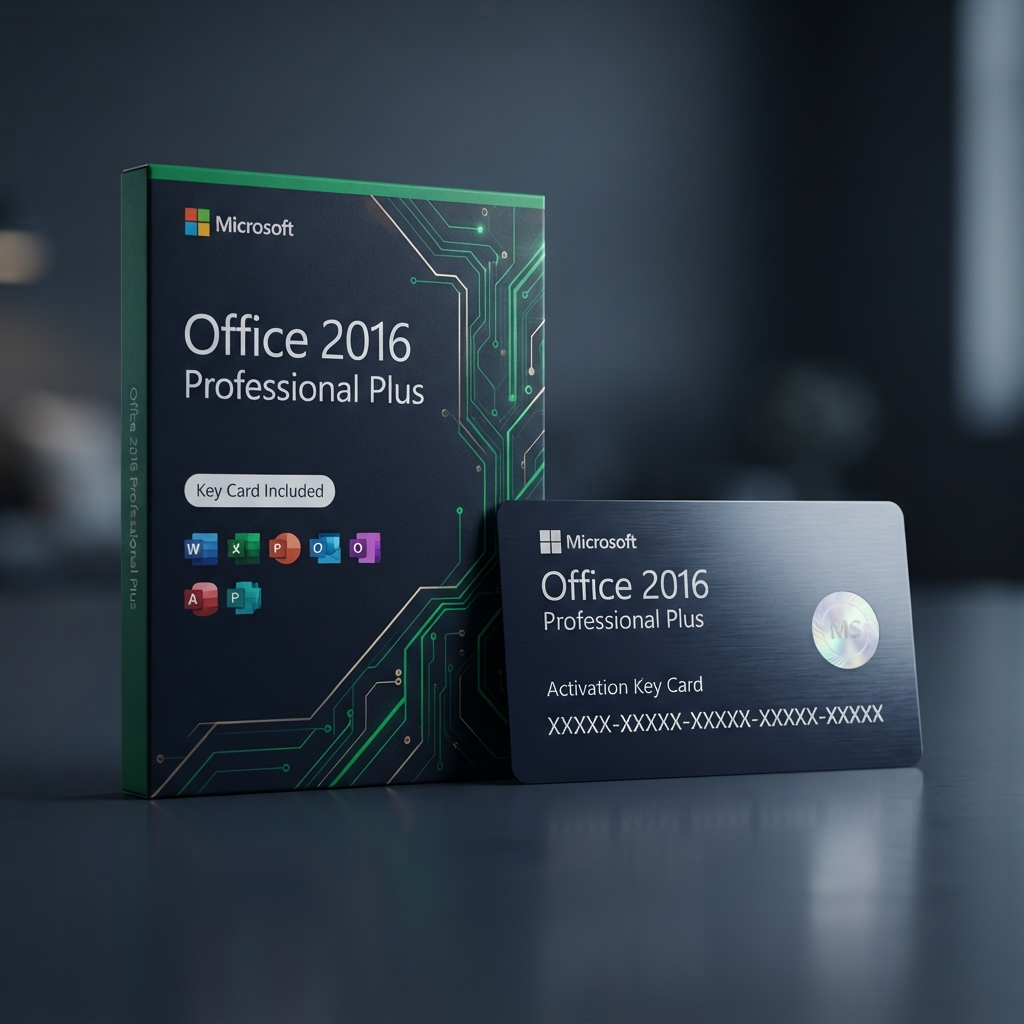
Microsoft Office 2016 Professional Plus is a permanent, one-time-purchase productivity suite built for buyers who want the full desktop Office experience without committing to a recurring Microsoft 365 subscription. As part of our complete Microsoft Office and business applications catalog, this entitlement unlocks Word, Excel, PowerPoint, Outlook, Access, and Publisher under a genuine volume-license key that activates directly through Microsoft’s own servers. Delivery is instant, activation takes minutes, and the license never expires or requires ongoing payments.
Why Choose Microsoft Office 2016 Professional Plus for Lifetime Desktop Productivity
Subscription fatigue has pushed a lot of buyers back toward perpetual licenses, and Microsoft Office 2016 Professional Plus answers that demand with a stable, one-time purchase that installs cleanly on a single Windows PC and keeps working indefinitely. The suite includes the full desktop applications most households and small offices actually use daily, plus Access for database work and Publisher for desktop layout tasks that Microsoft’s Home and Student editions typically omit. Activation is tied to the device rather than a recurring account login, which suits users who prefer to avoid cloud-dependent software entirely.
Where this edition earns its place is long-term cost control for users who do not need the newest cloud-connected features. Compared with the more recent Microsoft Office 2019 Professional Plus release, which adds newer Excel functions and refreshed Outlook tools, Microsoft Office 2016 Professional Plus remains an excellent fit for buyers running older hardware or those who simply want the classic, proven Office interface without paying for capabilities they will not use. Both editions activate the same way and install just as reliably on supported Windows systems.
Core Features and Architecture
Once activated, Microsoft Office 2016 Professional Plus installs the complete desktop suite locally, so every document, spreadsheet, and presentation opens and saves instantly without depending on an internet connection or cloud sync.
Word, Excel, and PowerPoint Desktop Apps
Delivers the full, unrestricted desktop versions of Word, Excel, and PowerPoint, including macros, advanced formulas, and complete formatting controls not always available in web-based alternatives.
Outlook Email and Calendar Client
Provides a dedicated desktop email client with calendar, contacts, and task management, supporting multiple email accounts through IMAP, POP, and Exchange connections.
Access Database Management
Includes Microsoft Access for building and managing relational databases, a tool frequently missing from lower-tier Office editions but essential for small-business record keeping.
Publisher Desktop Publishing
Adds Publisher for designing newsletters, flyers, and brochures using pre-built templates, rounding out the suite for users who need layout tools beyond Word.
Management, Compatibility & Infrastructure
Every purchase of Microsoft Office 2016 Professional Plus activates through Microsoft’s official servers and links to a standard Microsoft account for license tracking, letting you reinstall the suite if you ever reformat the same device. Compatibility is limited to Windows 10 and Windows 11, matching Microsoft’s supported installation requirements for this release.
- Genuine volume-license activation through Microsoft’s servers
- One-time purchase with no recurring subscription fees
- Reinstallable on the same licensed device after a reformat
- Full offline functionality with no cloud dependency required
- Email support included for installation and activation assistance
Technical Specifications
| Technical Specification | Entitlement Details |
|---|---|
| License Type | Microsoft Office 2016 Professional Plus — genuine volume digital key |
| Device Allowance | 1 Windows PC, reinstallable on the same device |
| License Term | Perpetual — no expiration or renewal required |
| Supported OS | Windows 10 and Windows 11 |
| Delivery Method | Instant digital delivery via email with activation instructions |
| Included Applications | Word, Excel, PowerPoint, Outlook, Access, Publisher |
Step-by-Step License Redemption Guide
- Locate the license key sent to your email immediately after checkout and copy it exactly, including all dashes.
- Download the official Office 2016 installer files provided in your confirmation email onto the Windows PC you plan to activate.
- Run the installer and allow Office to fully install before opening any application for the first time.
- Open any Office application, select “Activate,” and enter the key to complete activation of Microsoft Office 2016 Professional Plus on that device.
- Sign in through Microsoft’s official Office activation portal if prompted, then confirm the suite shows as activated under Account settings.
Frequently Asked Questions About Microsoft Office 2016 Professional Plus
Does this license expire after one year like a subscription?
No. Microsoft Office 2016 Professional Plus is a perpetual license, meaning it activates once and continues working indefinitely with no renewal or recurring payment required.
Can I reinstall the suite if I reformat my computer?
Yes, as long as you reinstall on the same physical device the key was originally activated on, using the same installer files and key from your confirmation email.
Is there a companion app for diagramming or database work?
Access is already included for database needs, and if your workflow also requires professional flowcharts or org charts, our Microsoft Visio Professional 2019 key pairs well as an add-on to this suite.
Reviews
There are no reviews yet.