
OEM vs Retail Windows License: Avoid Costly Mistakes in 2026
Choosing between an OEM vs Retail Windows license is the single most important decision you make when buying a Windows key. It is also the one most buyers get wrong. Both license types activate the same operating system, unlock the same features, and receive the same updates. But they are governed by different legal terms, and one of them can cost you an entire second license the moment you upgrade your motherboard.
An OEM license is cheaper and tied to the first PC it activates on. A Retail license costs more but can be moved between PCs for life. Choosing wrong can mean paying twice, or being stuck with a deactivated Windows install after a hardware failure.
In this guide, we break down the OEM vs Retail Windows license difference in plain English: what each one legally allows, how transferability works in practice, how to check which one you already have, and which one is right for your build in 2026. If you want the broader picture first, start with our Ultimate Guide to Software Licenses in 2026.
1. What Is an OEM Windows License?
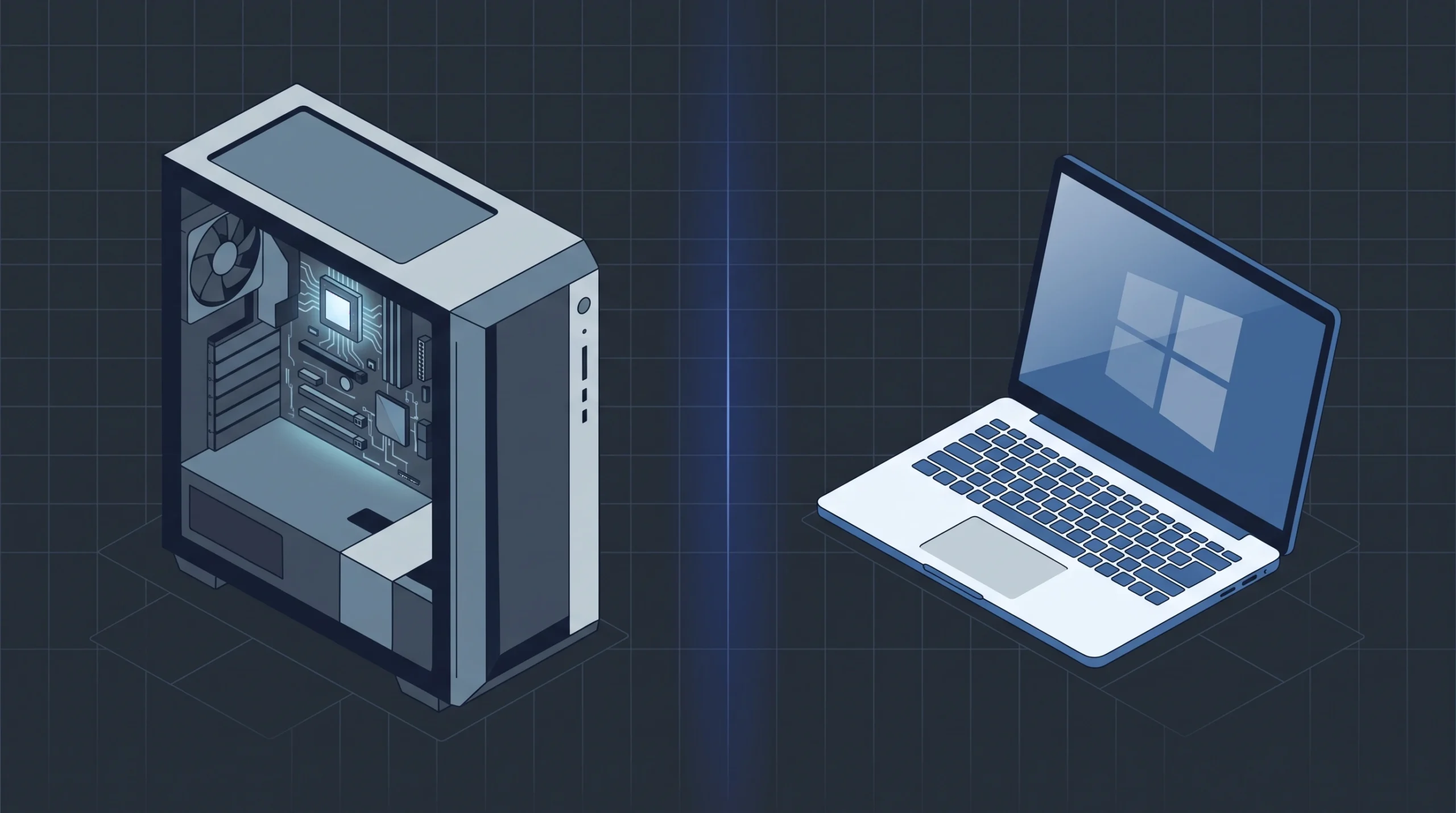
OEM stands for Original Equipment Manufacturer. In the Windows world, an OEM Windows license is a discounted license that Microsoft sells in bulk to companies that build and sell complete PCs, including Dell, HP, Lenovo, and smaller custom system builders. The license is intended to be installed on a single new PC that is then sold as a complete unit.
When you buy a prebuilt laptop or desktop from a major manufacturer, you are almost certainly running an OEM Windows license. The price of Windows is baked into the price of the machine, which is why prebuilt PCs often look cheaper than building the same spec yourself.
The key restriction is this: under Microsoft’s OEM System Builder License terms, an OEM license is tied to the first motherboard it activates on. The license is intended to remain with that hardware. It cannot be transferred to a different PC, and it cannot be moved to a new motherboard if the original one fails, at least not under the standard terms.
What OEM licenses are designed for
- System builders assembling a PC to sell as a complete unit.
- Budget users building a one-off PC that will never be significantly upgraded.
- Refurbishers restoring and reselling old hardware with a fresh Windows install.
What OEM licenses are NOT designed for
- Users who upgrade their motherboard or CPU every few years.
- Virtual machines, as OEM licenses are not intended for use in a VM under Microsoft’s standard terms.
- Anyone who needs direct Microsoft technical support.
2. What Is a Retail Windows License?
A Retail license, also called FPP (Full Packaged Product), is the version Microsoft sells directly to end users. You can buy it from the Microsoft Store, from Amazon, from Best Buy, or from an authorized reseller. It is the full-rights license with all the transfer flexibility Microsoft offers.
Retail licenses are fully transferable. You can uninstall Windows from one PC and install it on another, as many times as you like, as long as it is only active on one machine at a time. If you upgrade your motherboard, change your CPU, or build an entirely new PC, your Retail license goes with you. Reactivation is automatic and always permitted.
Retail licenses also include access to Microsoft support channels. The exact scope varies by product, issue type, and region, but it is materially better than OEM support, which directs users to the system builder or OEM.
What Retail licenses are designed for
- Enthusiasts and gamers who upgrade hardware regularly.
- Small business owners who rebuild workstations over time.
- Anyone who wants a license that lasts a lifetime across multiple builds.
Retail license trade-offs
- Higher upfront cost than OEM, typically 3 to 5 times for Home and 5 to 10 times for Pro.
- No volume discount for multiple machines (Volume licensing is separate).
3. OEM vs Retail Windows License at a Glance
Here is the headline comparison for an OEM vs Retail Windows license. The differences are narrow on paper but significant in practice, especially when hardware fails or you decide to rebuild.
| Feature | OEM License | Retail License |
|---|---|---|
| Typical Price (Windows 11 Home) | $20 to $30 | $99 to $139 |
| Typical Price (Windows 11 Pro) | $20 to $40 | ~$199 |
| Transferable to a new PC | No | Yes |
| Tied to first motherboard | Yes | No |
| Microsoft Technical Support | Limited (via OEM/builder) | Yes (access to Microsoft support) |
| Can be used on a VM | Not under standard terms | Yes |
| Activation method | Digital or key entry | Digital or key entry |
| Windows features | Identical | Identical |
| Security updates | Identical | Identical |
| Reactivation after motherboard swap | At Microsoft’s discretion | Always permitted |
| Best for | One-off budget builds | Gaming PCs, workstations, upgrades |
4. Can I Transfer an OEM Windows License?
Transferability is the whole ballgame when comparing an OEM vs Retail Windows key. Everything else, including price, support, and licensing paperwork, flows from this one distinction.
OEM: tied to the first motherboard
When you activate an OEM license, Windows records a hardware fingerprint of your motherboard and stores it on Microsoft’s activation servers. That fingerprint becomes the anchor for the license. If the motherboard changes, the license is considered to be on a different machine, and Windows deactivates.
In practice, if you ask can I transfer an OEM Windows license after a motherboard swap, the answer is sometimes yes. You can run the Windows Activation Troubleshooter and select “I recently changed hardware on this device.” If that fails, you can call Microsoft Support and explain that the motherboard failed and was replaced under warranty. Microsoft grants these requests at its discretion. Many users succeed, many do not. It is not a guaranteed right.
If you replace your motherboard because you are upgrading rather than repairing, Microsoft is significantly less likely to grant reactivation. The license was sold on the understanding that it lives and dies with the original hardware.
Retail: goes wherever you go
A Retail license has no hardware anchor. You can uninstall Windows from PC A, install it on PC B, and reactivate it without any trouble. You can swap the motherboard on the same PC and reactivation is automatic. You can rebuild an entirely new machine every two years and carry the same license forward indefinitely.
The only rule is that the license can only be active on one PC at a time. You cannot use the same Retail key on two machines simultaneously. That is what Volume licensing is for.
5. Price: Why an OEM vs Retail Windows Key Differs
The price gap between an OEM vs Retail Windows key is dramatic. For Windows 11, a Home Retail license costs around $99 to $139 and a Pro Retail license costs around $199 from Microsoft or an authorized retailer. An OEM key for the same editions typically sells for $20 to $40 from authorized resellers.
That is roughly 3 to 5 times cheaper for Home and 5 to 10 times cheaper for Pro. It is not a scam. It is a reflection of the reduced rights the OEM license carries:
- No transferability. Microsoft does not have to support the license moving between machines.
- Limited support. Support burden falls on the OEM or system builder, not Microsoft.
- Bulk economics. OEM keys are sold in volume to system builders at negotiated rates.
- Locked to one machine. The license cannot be resold or repurposed under Microsoft’s standard terms, so Microsoft loses less revenue from a single OEM sale than from a Retail sale that could theoretically be transferred many times.
For a budget build that will never be upgraded, OEM is clearly the better value. For a PC you plan to keep and evolve, the extra cost of Retail is often recovered the first time you avoid buying a second license after a motherboard upgrade.
| Scenario | OEM Cost | Retail Cost |
|---|---|---|
| Initial purchase | $30 | $199 |
| Motherboard upgrade in Year 3 | +$30 (new OEM key) | $0 (license transfers) |
| Full rebuild in Year 6 | +$30 (new OEM key) | $0 (license transfers) |
| Total over 6 years | $90 | $199 |
| Winner | Budget builds that never change | Upgrade-friendly builds |
6. Activation: How Each License Works
Windows 11 OEM vs Retail Windows license activation works identically. You enter a 25-character product key, or you sign in with a Microsoft account that has a digital license attached, and Windows activates against Microsoft’s servers.
Activating an OEM Windows License
- Open Settings > System > Activation.
- Click Change product key.
- Enter your 25-character OEM key.
- Click Next and follow the prompts.
If your OEM key is a digital license tied to your Microsoft account (common on prebuilt PCs), activation happens automatically when you sign in.
Activating a Retail license
- Open Settings > System > Activation.
- Click Change product key or Activate Windows.
- Enter your Retail key or sign in with the Microsoft account holding your digital license.
- Click Next to complete activation.
Both license types can be reactivated after a clean install by signing in to the same Microsoft account, provided the hardware fingerprint still matches (OEM) or the license is Retail (any hardware). For a full walkthrough of activation troubleshooting, see Microsoft’s official activation support page.
7. Support and Warranty Differences
This is an underrated difference when evaluating an OEM vs Retail Windows license. Retail licenses include access to Microsoft support channels. The exact scope varies by product, issue type, and region, but it is materially better than OEM support. If activation fails, if you hit an error code, if you need help transferring the license, Microsoft support is available, though wait times and channel availability vary.
An OEM Windows license does not include the same level of Microsoft support. Under Microsoft’s OEM terms, support is the responsibility of the system builder or OEM, and their support typically expires after one year. After that, you may be on your own for non-activation issues.
For most users this matters less than transferability, but for anyone building a PC for a non-technical family member or a small business workstation, the improved support access that comes with Retail is a meaningful safety net.
8. Is OEM Windows License Legal? Common Misconceptions
There are several persistent myths about the OEM vs Retail Windows license distinction. Here are the facts.
Is OEM Windows License Legal to Buy and Use?
Yes. Buying and using an OEM license is legal when purchased through an authorized channel and installed on a single PC. What is not permitted under Microsoft’s terms is reselling OEM licenses without hardware, or using one OEM key on multiple machines simultaneously. The legal situation varies by jurisdiction. In the EU, broader transfer rights have been recognized in case law.
“OEM keys are always stolen or grey-market”
Not always. Authorized resellers sell legitimate OEM keys sourced from authorized distribution channels. However, grey-market marketplaces may sell licenses whose provenance is difficult to verify. Industry reporting has documented cases of volume-license keys and corporate over-allocations appearing on these platforms, and Microsoft has the right to deactivate any license that violates its terms. Buy from a reseller that can demonstrate authorized sourcing and offers a replacement guarantee. For a deeper look, read our guide on Why Buying an Original Software License is Important.
“OEM keys stop working after a Windows update”
False. Legitimate OEM keys continue to work through Windows updates, feature upgrades, and version changes. They only deactivate if the hardware changes or if the key was invalid to begin with.
“OEM keys are tied to the person who built the PC”
False. OEM licenses are tied to the hardware, not the person. If you sell the PC, the license goes with it. If you replace the motherboard, the license stays with the old board.
9. How to Check Which License You Have
If you are not sure whether your current Windows install is using an OEM or Retail license, you can check in under a minute. To definitively answer the OEM vs Retail Windows license question for your own machine, use the methods below.
Method 1: Command Prompt (definitive)
- Press Windows + S and type
cmd. - Right-click Command Prompt and choose Run as administrator.
- Type
slmgr /dliand press Enter. - Look at the Description field in the dialog that appears.
- OEM_DM or OEM_COA: you have an OEM license.
- Retail: you have a Retail license.
- Volume:GVLK: you have a Volume license (typically corporate).
For more detail, run slmgr /dlv. This shows the Product Key Channel and additional license metadata, which can help you confirm the exact OEM vs Retail Windows license type.
Method 2: Settings (activation status only)
- Open Settings > System > Activation.
- This shows whether Windows is activated, but it does not reliably display the license channel (OEM vs Retail).
- Use it to confirm your activation status, then run
slmgr /dlito identify the license type.
10. Which One Should You Buy in 2026?
There is no single right answer to the OEM vs Retail Windows license question. It depends entirely on how you use your PC.
Choose an OEM license if:
- You are building a budget PC that will never be upgraded.
- You are assembling a PC to sell as a complete unit.
- You are refurbishing old hardware for resale.
- You are comfortable with the fact that a motherboard failure may require a new license.
- You are located in a jurisdiction where standalone OEM key purchase is permitted.
Choose a Retail license if:
- You are building a gaming PC or workstation you plan to upgrade.
- You want a license that lasts a lifetime across multiple builds.
- You want access to Microsoft support when things go wrong.
- You want peace of mind that a hardware failure will not cost you a second license.
- You need global transferability without jurisdiction concerns.
For most individual buyers in 2026, especially anyone building a gaming PC or a work machine they intend to keep for years, Retail is the smarter long-term choice. The extra upfront cost pays for itself the first time you upgrade a motherboard without having to buy Windows again.
If you want to buy a verified, activation-supported Windows license today, choose the right OEM vs Retail Windows key for your build from our authorized stock below:
- Buy a Genuine Windows 11 Home OEM Key: budget-friendly, one-PC activation, ideal for a single build that will not be upgraded. Available in jurisdictions where standalone OEM key purchase is permitted.
- Buy a Genuine Windows 11 Home Retail Key: fully transferable, includes access to Microsoft support, moves with you between PCs.
- Buy a Genuine Windows 11 Professional Retail Key: fully transferable Pro license with BitLocker, Remote Desktop, Hyper-V, and free Windows 11 upgrade support.
- Buy a Genuine Windows 11 Professional OEM Key: Pro features at an OEM price, tied to a single PC.
- Buy a Genuine Windows 10 Professional Retail Key: transferable Pro license for Windows 10, upgradeable to Windows 11 (consumer ESU through October 13, 2026).
Ready to Buy a Genuine Windows License?
Get a verified OEM or Retail Windows key delivered to your inbox in minutes, with full activation support and a replacement guarantee.
Buy Genuine Windows Licenses OnlineFrequently Asked Questions (FAQ)
Is an OEM vs Retail Windows license legal to buy and use?
Yes. Buying and using an OEM Windows license is legal when it is purchased from an authorized reseller and installed on a single PC. Microsoft’s OEM terms state that OEM licenses are intended for pre-installation on a new PC and are tied to the first motherboard. What is not permitted under Microsoft’s terms is reselling OEM licenses without hardware, though the legal situation varies by jurisdiction. In the EU, the CJEU’s UsedSoft v. Oracle ruling and German case law have recognized broader transfer rights. Always verify the rules that apply in your country.
Can I transfer an OEM Windows license to a new PC?
Under Microsoft’s OEM Windows license terms, no. The license is tied to the first motherboard it activates on. In practice, Microsoft Support will sometimes grant reactivation after a motherboard swap if the change was a repair rather than an upgrade, but this is at Microsoft’s discretion and is not guaranteed. A Retail license, by contrast, is fully transferable between PCs as many times as you like, provided it is only active on one machine at a time.
What is the difference between an OEM and a Retail Windows license?
An OEM license is sold at a lower price but is tied to the first motherboard it activates on and is not transferable under Microsoft’s terms. A Retail license (also called FPP or Full Packaged Product) costs more but can be moved between PCs indefinitely, includes access to Microsoft support channels, and is the license type that legally permits hardware changes without reactivation issues.
Why is an OEM vs Retail Windows key priced differently?
OEM keys are cheaper because Microsoft sells them in bulk to system builders and PC manufacturers at a discounted rate, and the license carries fewer rights. The lower price reflects the reduced flexibility. Retail keys cost more because they include full transfer rights and access to Microsoft support channels. For Windows 11, OEM Home and Pro keys typically sell for $20 to $40, while Retail Home is around $99 to $139 and Retail Pro is around $199.
Can I use an OEM key on a virtual machine?
Under Microsoft’s standard OEM terms, OEM licenses are tied to the physical motherboard of the first machine they activate on. They are not intended for use on virtual machines. If you need Windows for a VM, you need a Retail license, a Volume license, or a cloud-based Windows 365 subscription.
What happens if I change my motherboard with an OEM Windows license?
Windows will typically deactivate. You can attempt to reactivate by running the Activation Troubleshooter in Settings > System > Activation, and in some cases Microsoft Support will grant reactivation if you explain the motherboard was replaced due to hardware failure. This is not guaranteed, and it is significantly less likely to be granted if the change was an upgrade rather than a repair. With a Retail license, reactivation after a motherboard change is automatic and always permitted.
How can I tell if my Windows license is OEM or Retail?
Open Command Prompt as Administrator and run: slmgr /dli. The dialog will show the license channel in the Description field. If it says “OEM_DM” or “OEM_COA”, it is an OEM license. If it says “Retail”, it is a Retail license. You can also run slmgr /dlv for a more detailed view including the Product Key Channel. Settings > System > Activation shows whether Windows is activated, but does not reliably display the license channel.
Is it safe to buy OEM Windows keys from third-party resellers?
It can be safe, but only from authorized resellers that publish a clear refund policy, deliver keys via encrypted email, and provide activation support. Grey-market marketplaces may sell licenses whose provenance is difficult to verify, and Microsoft has the right to deactivate any license that violates its terms. Buy from a reseller that can demonstrate authorized sourcing and offers a replacement guarantee. For a deeper look, read Why Buying an Original Software License is Important.
Does an OEM Windows license include Microsoft support?
OEM licenses do not include the same level of Microsoft technical support as Retail licenses. Under the OEM terms, support is the responsibility of the system builder or OEM. Retail licenses include access to Microsoft support channels, though the exact scope varies by product, issue type, and region. For activation issues specifically, Microsoft’s activation support is available to both license types, but Retail customers generally have more direct access to Microsoft support personnel.
Which is better, an OEM vs Retail Windows license for a gaming PC?
For a gaming PC that you plan to upgrade over time, Retail is the safer choice because you can carry the license across motherboard and CPU upgrades. If you build a one-off budget PC and never plan to upgrade the motherboard, an OEM key saves money and works perfectly well. Most gamers who upgrade every 2 to 3 years should buy Retail.
Can I activate Windows 11 with an OEM key?
Yes. OEM keys are available for both Windows 10 and Windows 11. When you purchase a Windows 11 OEM key, it activates the same way as a Retail key through Settings > System > Activation. The only difference is the underlying license terms, not the activation process.
Do I need a Retail license to upgrade from Windows 10 to Windows 11?
No. The free Windows 10 to Windows 11 upgrade works with both OEM and Retail licenses, provided the hardware meets the minimum requirements (TPM 2.0 and Secure Boot) and the existing license is genuine and activated. The upgrade preserves your activation status regardless of the original license channel. Note that Windows 10 consumer support ended on October 14, 2025, with consumer Extended Security Updates available through October 13, 2026. Commercial ESU options may extend longer.